
Introduction
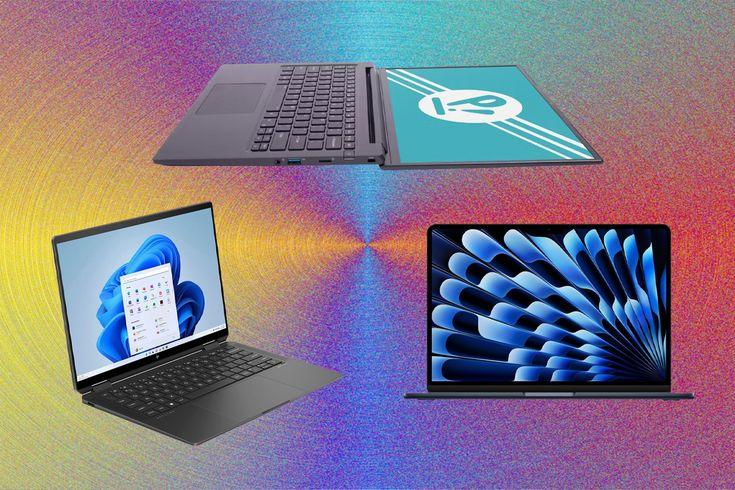
Buying a laptop for school or college can feel confusing in 2025. With hundreds of models available, students often struggle to decide which device offers the best performance, battery life, portability, and value for money. Some laptops are perfect for online classes and note-taking, while others are designed for programming, video editing, or gaming. Choosing the wrong one can lead to slow performance, poor battery life, and wasted money.
This Student Laptops Buying Guide 2025 is designed to help beginners and intermediate users make the right decision without stress. Whether you are a high school student, university learner, or online course participant, understanding the key features of a laptop is important before making a purchase. A good laptop should support your academic work, entertainment, and multitasking needs without creating technical problems.
In this guide, you will learn how to compare processors, RAM, storage, battery life, display quality, and operating systems. You will also discover the best laptop categories for different budgets and educational needs. In addition, this article explains common mistakes students make while buying laptops and how to avoid them.
By the end of this guide, you will have a clear understanding of which laptop type suits your studies and budget in 2025. This information will help you invest in a reliable device that supports productivity, learning, and long-term performance.
What is Student Laptops Buying Guide 2025?
Student Laptops Buying Guide 2025 is a complete resource that helps students choose the right laptop according to their educational needs, budget, and daily tasks. Instead of purchasing a device based only on appearance or brand popularity, this guide focuses on practical features that improve learning and productivity.
A student laptop is different from a regular office or gaming laptop because students need a balance between portability, battery life, affordability, and performance. For example, a medical student may need a lightweight laptop for note-taking, while an engineering student may require stronger processing power for software applications.
This buying guide explains the latest laptop technologies available in 2025 and simplifies technical terms for beginners. It covers processor generations, SSD storage, display quality, operating systems, and battery optimization. Moreover, it helps students compare budget laptops, mid-range devices, and premium models.
The main purpose of this guide is to prevent students from overspending on unnecessary features or buying underpowered laptops that become outdated quickly. With the right information, students can confidently choose devices that meet both academic and personal needs.
Why is Student Laptops Buying Guide 2025 Important?
Technology plays a major role in modern education. Students use laptops for assignments, research, presentations, online classes, communication, and entertainment. Therefore, selecting the right laptop directly affects productivity and learning experience.
A proper buying guide is important because laptop specifications can be confusing for many students. Terms like Intel Core Ultra, Ryzen AI processors, refresh rates, and SSD generations may sound technical to beginners. Without proper guidance, students may purchase devices that do not fit their requirements.
Another reason this guide matters is budget management. Many students and parents want affordable laptops that still offer reliable performance. This Student Laptops Buying Guide 2025 helps buyers understand where to spend money wisely and which features can be skipped.
In addition, educational software requirements are increasing every year. Programs used for graphic design, coding, architecture, and video editing need better hardware. Choosing a future-proof laptop ensures smoother performance for several years.
A good laptop also improves convenience. Lightweight devices with long battery life make studying easier during travel, lectures, and remote learning sessions. As a result, students can focus more on education instead of dealing with technical issues.
Detailed Step-by-Step Guide
Step 1: Understand Your Academic Needs
Before buying a laptop, identify how you will use it daily. Different courses require different hardware capabilities.
For example:
- Basic studies need web browsing and document editing
- Programming students need faster processors and more RAM
- Design students require high-quality displays
- Engineering students may need dedicated graphics cards
Understanding your requirements prevents overspending and helps narrow your options.
Step 2: Choose the Right Processor
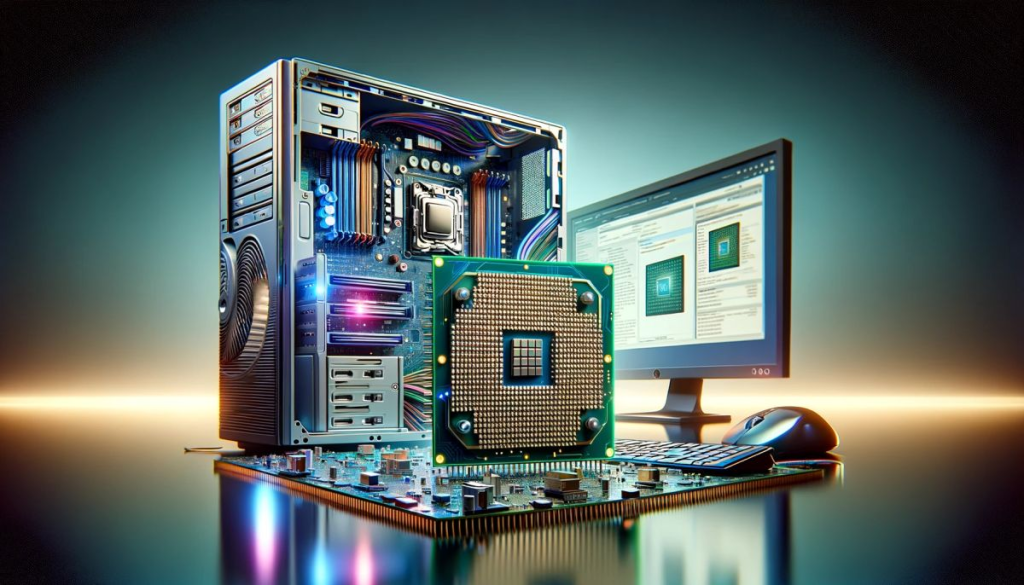
The processor is the brain of the laptop. It controls speed and multitasking performance.
Popular processor choices in 2025 include:
- Intel Core i3 or Core Ultra 3 for basic tasks
- Intel Core i5 or Ryzen 5 for multitasking
- Intel Core i7 or Ryzen 7 for advanced software
- Apple M-series chips for macOS users
Students who mainly use browsers and office apps can choose mid-range processors to save money.
Step 3: Select Enough RAM
RAM affects how smoothly your laptop handles multiple tasks.
Recommended RAM sizes:
- 8GB RAM for normal student usage
- 16GB RAM for programming and editing
- 32GB RAM for professional creative work
In 2025, 8GB should be considered the minimum for comfortable performance.
Step 4: Pick SSD Storage Instead of HDD
SSD storage is much faster than traditional hard drives.
Benefits of SSD storage include:
- Faster startup speed
- Quick application loading
- Better durability
- Improved battery efficiency
Most students should choose at least 512GB SSD storage for balanced performance and space.
Step 5: Focus on Battery Life
Students often attend classes for long hours. A weak battery creates inconvenience.
Look for laptops offering:
- Minimum 8 hours battery life
- Fast charging support
- Efficient processors
Long battery backup is especially useful for travelers and online learners.
Step 6: Check Portability and Build Quality
Heavy laptops become uncomfortable during daily travel.
Ideal student laptops should have:
- Lightweight design
- Durable body
- Slim profile
- Comfortable keyboard
Portability improves convenience for school, college, and library usage.
Step 7: Choose the Right Display
Display quality affects eye comfort and productivity.
Recommended display features include:
- Full HD resolution
- Anti-glare screen
- IPS panel
- 14-inch or 15-inch display size
Students involved in design work may benefit from higher color accuracy.
Step 8: Decide Between Windows, macOS, and ChromeOS
Operating systems provide different experiences.
Windows laptops are best for flexibility and software compatibility. macOS is popular among creative users. ChromeOS works well for simple online tasks and affordable budgets.
Students should choose according to software needs and personal preferences.
Step 9: Compare Connectivity Features
Modern laptops should support updated connectivity options.
Important features include:
- Wi-Fi 6 or Wi-Fi 7
- Bluetooth 5.3
- USB-C ports
- HDMI support
- Webcam quality
Good connectivity improves online learning and productivity.
Step 10: Set a Realistic Budget
Budget planning prevents unnecessary spending.
Common laptop budget categories in 2025:
- Budget laptops for basic studies
- Mid-range laptops for multitasking
- Premium laptops for professional workloads
Always compare specifications instead of focusing only on brand names.
Best Laptop Picks for Students in 2025
Best Budget Laptop
The Acer Aspire series remains a strong option for students seeking affordability and decent performance. It offers reliable battery life and smooth multitasking for everyday educational tasks.
Best Mid-Range Laptop
The ASUS VivoBook lineup provides excellent balance between performance and price. These laptops are suitable for programming, online classes, and productivity applications.
Best Premium Laptop
Apple MacBook Air models continue to dominate premium student markets due to efficient processors, excellent battery life, and lightweight design.
Best Laptop for Gaming and Engineering
Lenovo Legion and ASUS ROG laptops are ideal for demanding software and gaming-related tasks because they include powerful graphics and advanced cooling systems.
Best Chromebook
Chromebooks remain excellent choices for online learning and web-based tasks. They are affordable, lightweight, and simple to use.
Benefits of Student Laptops Buying Guide 2025
- Helps students choose laptops confidently
- Saves money by avoiding unnecessary features
- Improves understanding of laptop specifications
- Reduces the risk of buying outdated devices
- Supports better productivity and learning
- Helps compare budget and premium options
- Encourages long-term investment decisions
- Simplifies technical information for beginners
Disadvantages / Risks
- Technology changes quickly every year
- Premium laptops can be expensive
- Some budget laptops have weak build quality
- Limited upgrade options in thin laptops
- Battery performance decreases over time
- Students may still overspend due to marketing
- Compatibility issues may occur with certain software
Common Mistakes to Avoid
One common mistake students make is buying laptops based only on appearance. A stylish design does not guarantee good performance or battery life.
Another mistake is ignoring RAM and storage requirements. Purchasing a laptop with low memory can create slow performance after a short period.
Students also often buy gaming laptops unnecessarily. Gaming laptops are heavier and more expensive. Unless powerful graphics are needed, regular laptops are usually better for education.
Ignoring battery life is another major problem. Students who attend long lectures need reliable battery backup to avoid charging issues during the day.
Some buyers focus only on famous brands without comparing specifications. Lesser-known brands may offer better value for money.
Finally, many students fail to check upgrade options. Choosing laptops with expandable storage or RAM can improve long-term usability.
FAQs
Which laptop is best for students in 2025?
The best laptop depends on academic needs and budget. Mid-range laptops with 8GB or 16GB RAM, SSD storage, and modern processors are ideal for most students.
How much RAM does a student laptop need?
For basic educational tasks, 8GB RAM is enough. Students using editing software, coding tools, or multitasking applications should consider 16GB RAM.
Is a Chromebook good for students?
Yes, Chromebooks are suitable for students who mainly use browsers, online classes, and cloud-based applications. They are affordable and lightweight.
Should students buy gaming laptops?
Gaming laptops are useful for engineering, video editing, and advanced software. However, they may be unnecessary for simple academic tasks because they are heavier and more expensive.
What screen size is best for students?
A 14-inch laptop offers excellent portability, while a 15-inch display provides more workspace. The best choice depends on personal preference and usage style.
How important is battery life in student laptops?
Battery life is extremely important because students often use laptops during lectures, travel, and remote learning sessions. A laptop with at least 8 hours of battery backup is recommended.
Is SSD storage necessary in 2025?
Yes, SSD storage is essential because it provides faster speed, smoother performance, and improved reliability compared to traditional hard drives.
Can students use tablets instead of laptops?
Tablets are useful for note-taking and entertainment, but laptops remain better for assignments, multitasking, and professional educational software.
Expert Tips & Bonus Points
Always read user reviews before purchasing a laptop. Real-world experiences often reveal problems that specifications do not show.
Try to buy laptops during seasonal sales or educational discount periods. Students can save significant money through promotions.
Consider laptops with good webcams and microphones because online learning remains important in 2025.
Using cooling pads can improve laptop lifespan by reducing overheating during heavy workloads.
Students should also invest in accessories such as wireless mice, laptop sleeves, and external storage devices for better convenience.
Another useful tip is choosing future-proof specifications. Spending slightly more on RAM and storage today can improve performance for several years.
Finally, keep software and drivers updated regularly to maintain security and system stability.
Conclusion
Choosing the right laptop is one of the most important decisions students can make in 2025. A reliable device supports assignments, online learning, presentations, communication, and entertainment while improving productivity and academic performance. However, with so many options available, finding the ideal laptop can feel overwhelming without proper guidance.
This Student Laptops Buying Guide 2025 simplifies the decision-making process by explaining essential features such as processors, RAM, SSD storage, battery life, portability, and operating systems. Understanding these factors helps students select devices that match their educational requirements and budget without wasting money on unnecessary features.
The best laptop is not always the most expensive one. Instead, the ideal choice depends on how the laptop will be used daily. Basic students may only need affordable devices for web browsing and documents, while engineering or design students may require stronger hardware for demanding applications.
Students should focus on performance, long-term reliability, and comfort rather than marketing trends. Comparing specifications carefully can lead to smarter purchases and better value for money. In addition, considering future needs ensures the laptop remains useful for several years.
By following this Student Laptops Buying Guide 2025, students can confidently choose a device that improves learning, supports productivity, and delivers a smooth user experience throughout their academic journey.